
Vacation
As a holistic solution, HRlab offers an intuitive and transparent handling of applications for vacation, overtime compensation and home office. Approvals are done easily with one click – even and especially for multi-level processes. No matter which absence, you and your employees benefit from one application that has it all – HRlab.
Cloud-based
Thanks to cloud technology (SaaS), HRlab is ready to use in no time, intuitive to handle, and adapts flexibly to your HR processes.
Focus on SMEs
HRlab is tailored specifically to small and medium-sized enterprises as well as growing businesses with up to 2,000 employees.
Maximum Data Security
HRlab is hosted exclusively in high-security data centers in Kempten and Berlin – ISO-certified and GDPR-compliant.
Convenient Absence Management
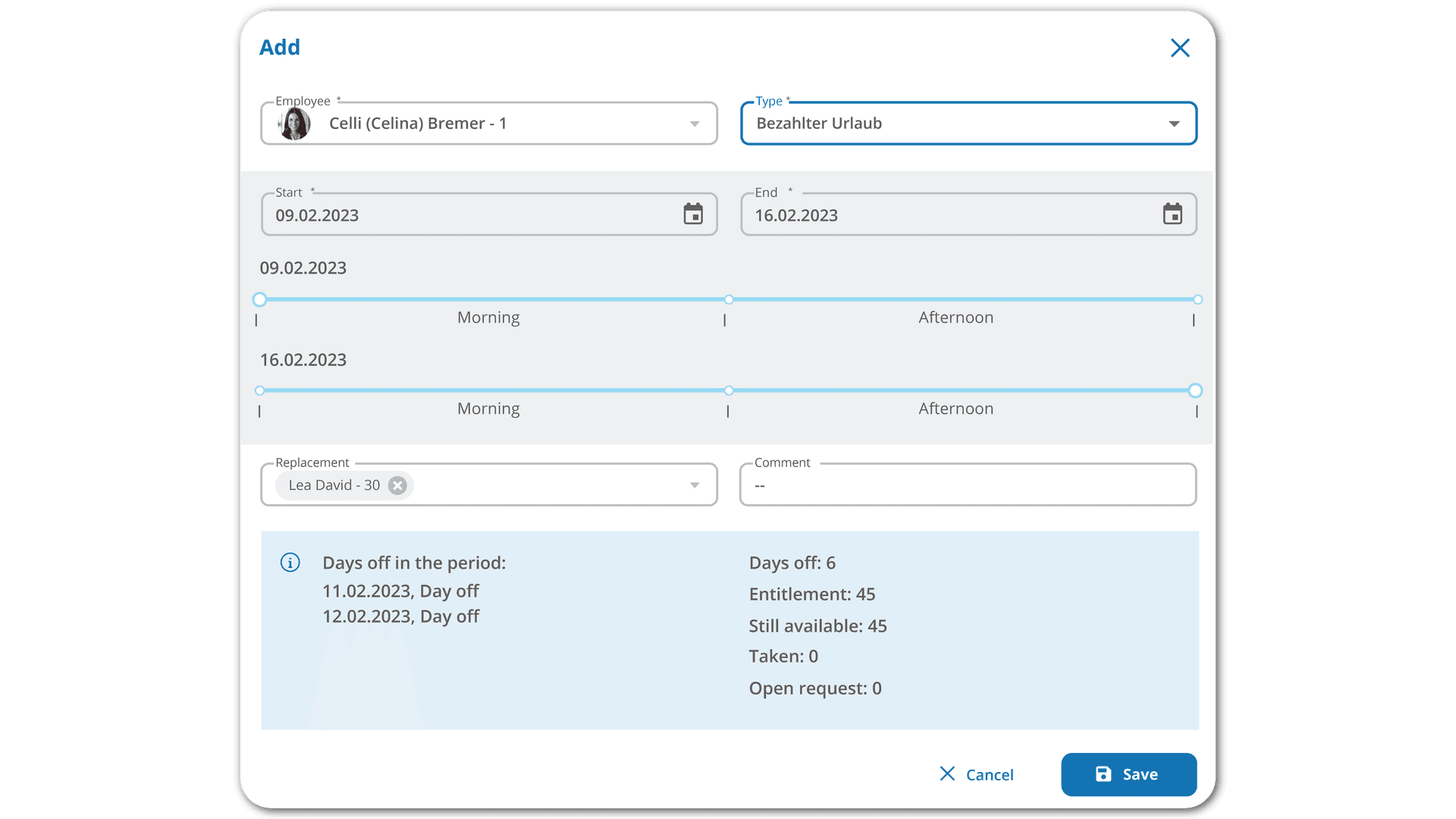
Company-internal approval processes can be flexibly configured in HRlab, which avoids tedious manual efforts. Employees submit their vacation requests conveniently with one click and can enter a corresponding substitution.
Easy application & approval
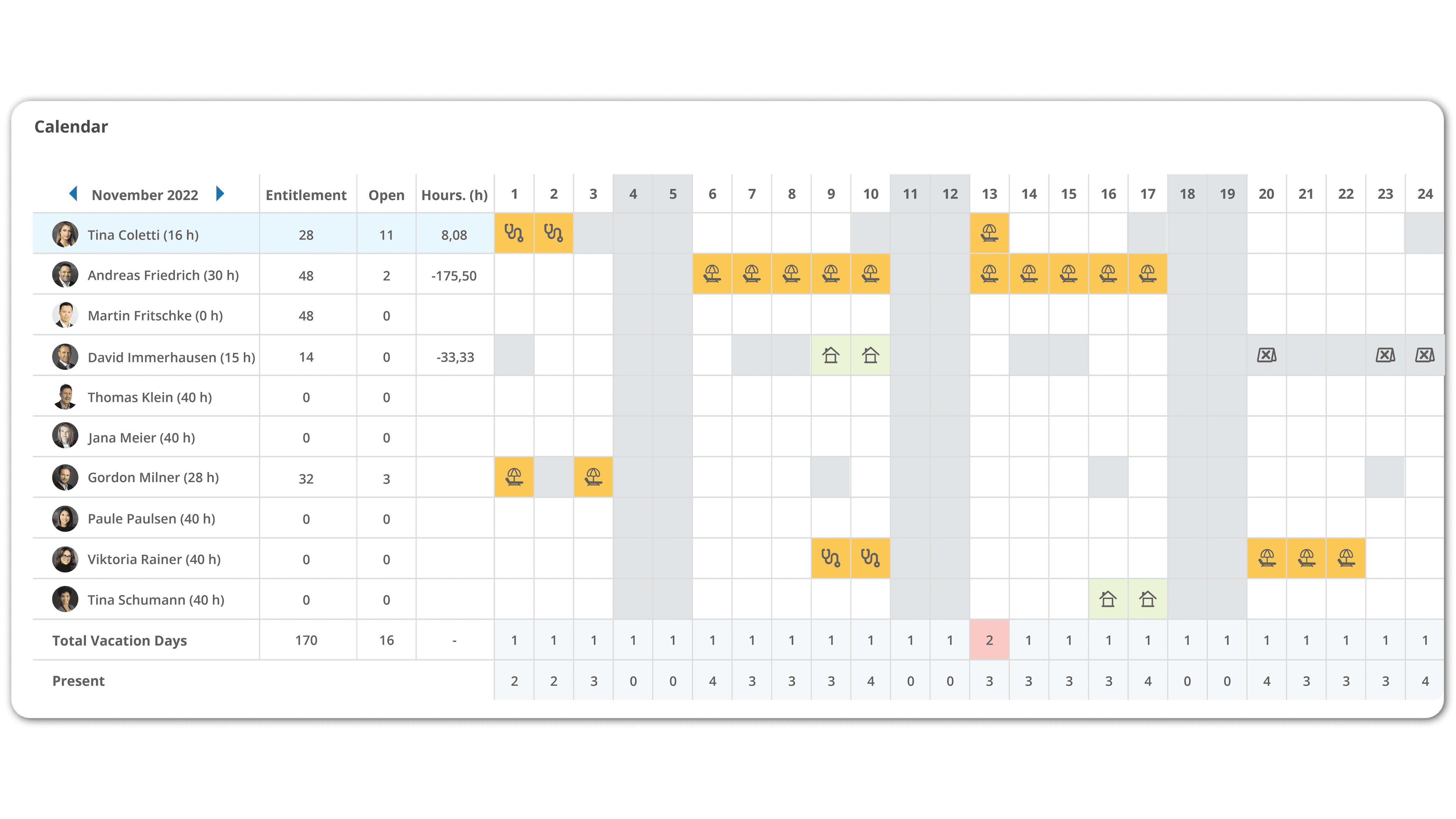
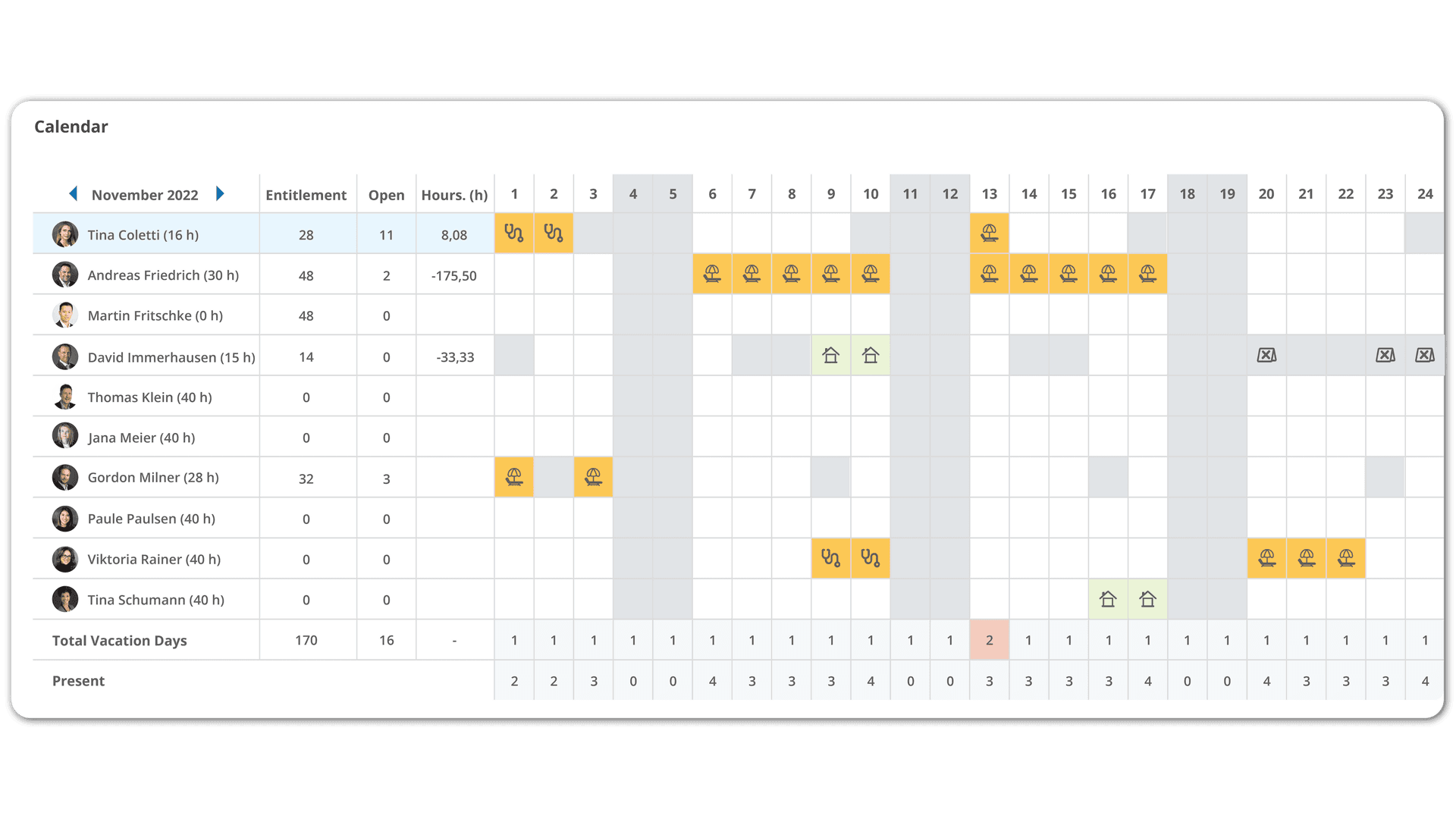
Vacations, overtime compensation or home office can be requested and approved intuitively in HRlab. In addition, the calendar view immediately shows whether sufficient resources remain in the respective department when a request is approved.
Automatic calculation
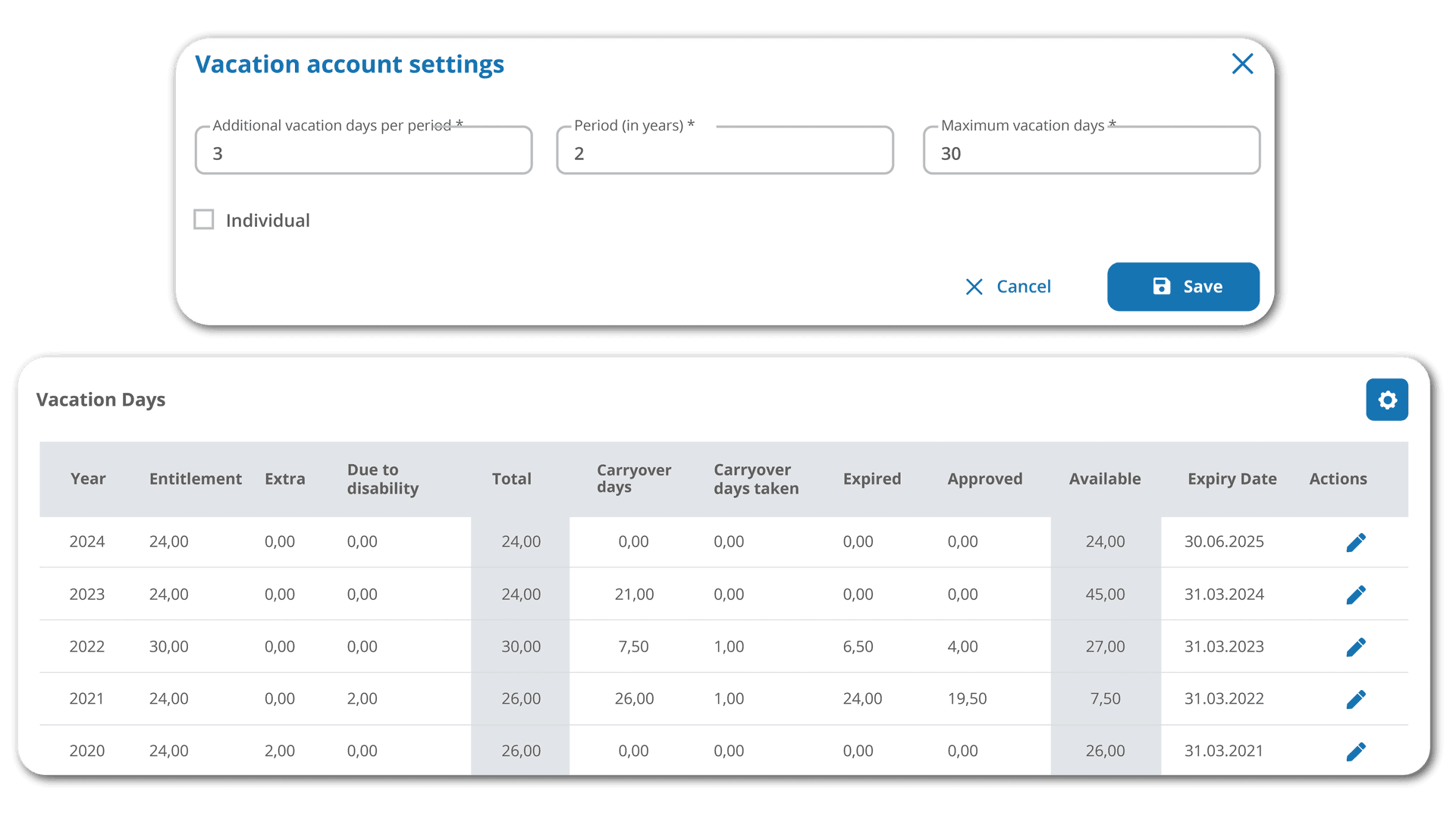
HRlab automatically calculates employees' vacation entitlement depending on location or other criteria, thus avoiding potential errors. Additional vacation days accounting for disabilities or employment tenure are also easily configurable.
We Feel Perfectly Supported at Any Given Time.
Why HRlab was our preferred choice compared to others HR software providers?
- Outstanding expertise for human resources management.
- Logical & self-explanatory structure in the application.
- Consistent points of contact.

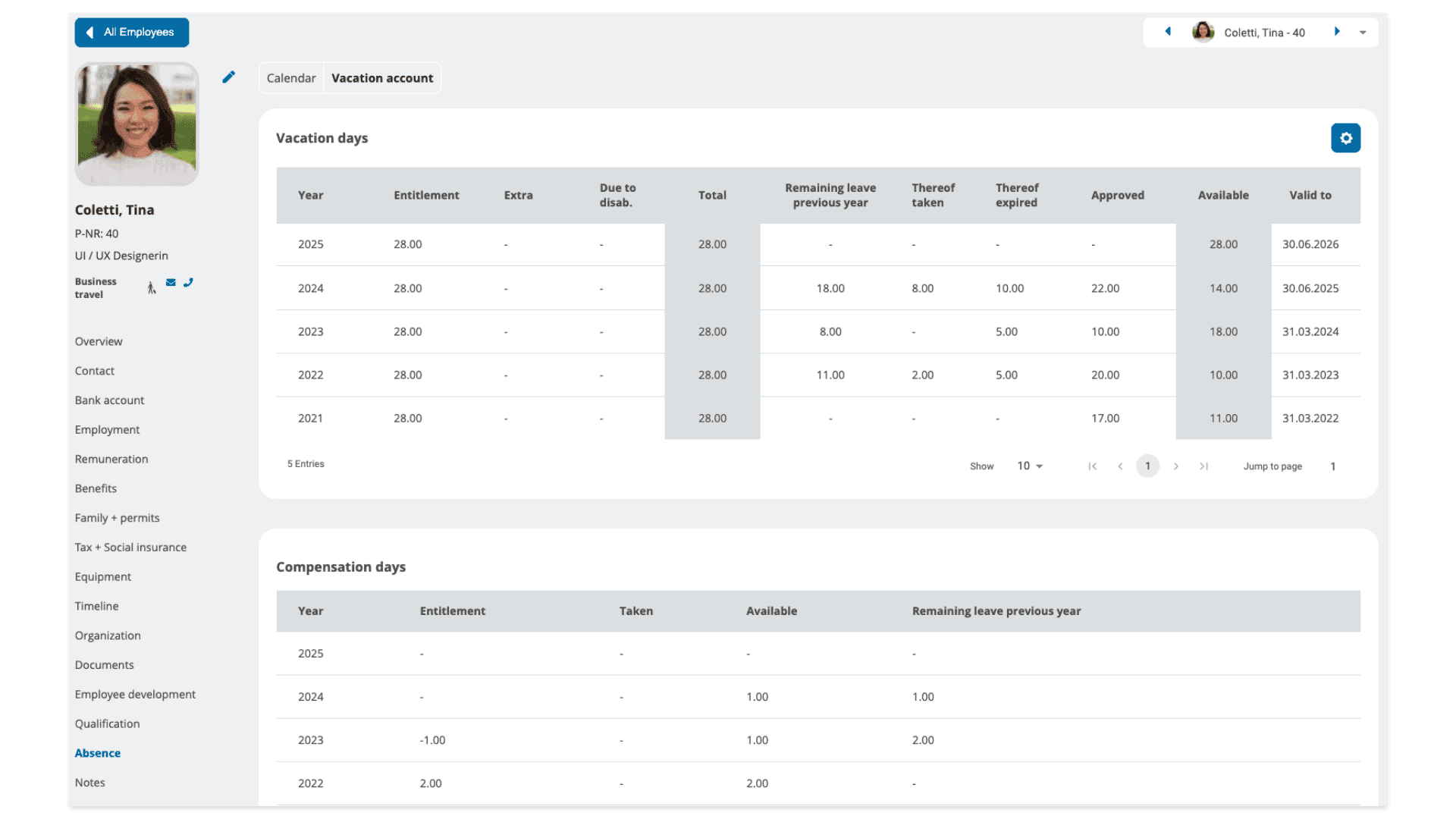
Vacation entitlement and remaining vacation days
In addition to the statistics on HRlab's dashboard, each employee profile also contains a detailed overview of the vacation days taken and available per year. Depending on the company's internal regulations, this is also the place to find an overview on potential carryover days from the previous year.
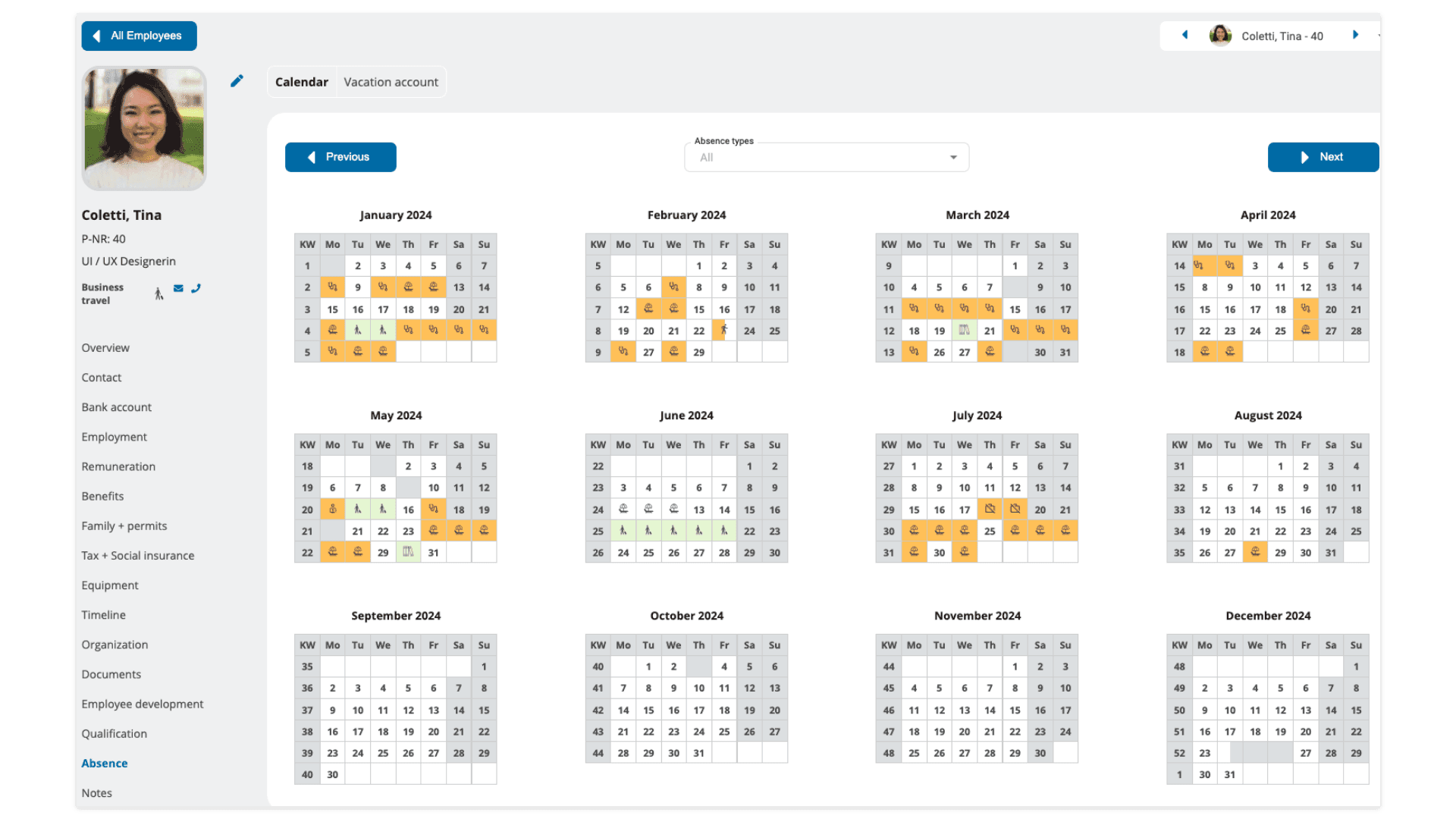
Overview of all absences during the year
You want to see at a glance when an employee was sick, on vacation or on a business trip during the year? The calendar overview per employee provides exactly that. This gives you a feeling for the absences per employee and lays ground to create further reports and evaluations.
FAQ
Do employees enter their vacations independently?
Yes - with HRlab, your employees are completely independent from the HR department and can enter their vacation requests at any time and from any device. At the same time, employees can see at a glance how many days have been taken and how many days are still available. This takes work off of the HR department, who then only need to approve open requests.
Are approval processes flexibly configurable?
Yes. Depending on the company structure, you can set up customized processes for approving vacations, which will then run automatically.
Is there an overview of all vacations in HRlab?
Thanks to the clear calendar view, you can see at a glance who is currently on vacation and which vacations are still coming. At the same time, you and your employees benefit from automated calculations, such as remaining vacation days, eliminating all related manual effort.
Can employees update their vacation requests independently?
Yes, if something changes in the individual vacation plans, employees can easily change or cancel the respective vacation requests. HR then simply receives the updated request.